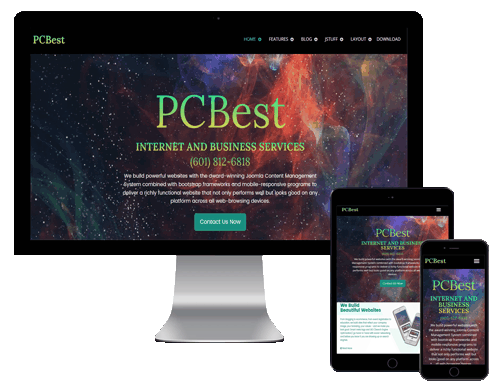
Content Management System (CMS) websites allow you to regularly update your own website from anywhere, anytime. You can have the ability with this system to add document downloads, images, text, links, videos, audio, podcasts and more with ease all through a single administrative panel.
Save time and money for each update you wish to make to your website and have total control over your content.
What Extra Skills With My Staff Need?
- If you can use Microsoft Word or basic computer programs then you can update your website on the fly. From custom content management systems to more simplistic ones such as Wordpress or Joomla - We can integrate the right CMS for your needs.
- Each content management system solution has easy to use administrative panels where you can login and simply - click, type, and publish on the fly. Even beginner computer/internet users can pick it up in a matter of minutes with our over the phone or in-person assistance. It is all web-based with secure login facilities for you and your staff members to have your own username and passwords.
What Are The Advantages Of CMS?
- The main advantage is that you have full control over your website. In addition, by frequently updating your website on the fly with new information you can improve your websites search engine ranking. New and fresh content on a website helps ensure that your website gets recognized by Google/Yahoo/MSN and index your site content more often. This leads to a higher organic page ranking and overall higher position in the search engines. Along with that comes your prospects and customers who will return time and time again to see if your website has been recently updated.
- We offer a variety of plans depending on what sort of content you will need to regularly update. Get in touch with one of our representatives today and allow us to tailor your needs into the best package to suit your business.
PCBest CMS is so much more than just a powerful content management system. Here is a list of features "out of the box."
PCBest CMS has a registration system that allows users to configure personal options. There are nine user groups with various types of permissions on what users are allowed to access, edit, publish and administrate. Authentication is an important part of user management and PCBest CMS support multiple protocols, including LDAP, OpenID, and even Gmail. This allows users to use their existing account information to streamline the registration process.
Media Manager
The Media Manager is the tool for easily managing media files or folders and you can configure the MIME type settings to handle any type of file. The Media Manager is integrated into the Article Editor tool so you can grab images and other files at any time.
Language Manager
There is international support for many world languages and UTF-8 encoding. If you need your Web site in one language and the administrator panel in another, multiple languages are possible.
Banner Management
It's easy to set up banners on your Web site using the Banner Manager, starting with creating a client profile. Once you add campaigns and as many banners as you need, you can set impression numbers, special URLs, and more.
Contact Management
The Contact Manager helps your users to find the right person and their contact information. It also supports multiple contact forms going to specific individuals as well as groups.
Polls
If you want to find out more about your users, it's easy to create polls with multiple options.
Search
Help navigate users to most popular search items and provide the admin with search statistics.
Web Link Management
Providing link resources for site users is simple and you can sort them into categories, even count every click.
Content Management
PCBest CMS's simplified three-tiered system of articles makes organizing your content a snap. You can organize your content any way you want and not necessarily how it will be on your Web site. Your users can rate articles, e-mail them to a friend, or automatically save a PDF (with UTF-8 support for all languages). Administrators can archive content for safekeeping, hiding it from site visitors.
On public Web sites, built-in e-mail cloaking protects email addresses from spambots.
Creating content is simple with the WYSIWYG editor, giving even novice users the ability to combine text, images in an attractive way. Once you've created your articles, there are a number of pre-installed modules to show the most popular articles, latest new items, newsflashes, related articles, and more.
Syndication and Newsfeed Management
With PCBest CMS, it's easy to syndicate your site content, allowing your users to subscribe to new content in their favourite RSS reader. It's equally easy to integrate RSS feeds from other sources and aggregate them all on your site.
Menu Manager
The Menu Manager allows you to create as many menus and menu items as you need. You can structure your menu hierarchy (and nested menu items) completely independent of your content structure. Put one menu in multiple places and in any style you want; use rollovers, dropdown, fly-outs and just about any other navigation system you can think of. Also automatic breadcrumbs are generated to help navigate your site users.
System Features
Speedy page loads are possible with page caching, granular-level module caching, and GZIP page compression.
Administrators quickly and efficiently communicate with users one-on-one through private messaging or all site users via the mass mailing system.
Out of the box, PCBest CMS does a great job of managing the content needed to make your Web site sing. But for many people, the true power of the CMS lies in the application framework that makes it possible for developers all around the world to create powerful add-ons that are called Extensions. An Extension is used to add capabilities that do not exist in the base core code. Here are just some examples of the hundreds of available Extensions:
- Dynamic form builders
- Business or organisational directories
- Document management
- Image and multimedia galleries
- E-commerce and shopping cart engines
- Forums and chat software
- Calendars
- E-mail newsletters
- Data collection and reporting tools
- Banner advertising systems
- Paid subscription services
- and many, many, more
Types of Extensions
There are five types of extensions:
- Components
- Modules
- Templates
- Plugins
You can read more about the specifics of these using the links in the Article Index - a Table of Contents (yet another useful feature of PCBest) - at the top right or by clicking on the Next link below.
Components
A Component is the largest and most complex of the Extension types. Components are like mini-applications that render the main body of the page. An analogy that might make the relationship easier to understand would be that PCBest is a book and all the Components are chapters in the book. The core Article Component (com_content), for example, is the mini-application that handles all core Article rendering just as the core registration Component (com_user) is the mini-application that handles User registration.
Many of the CMS core features are provided by the use of default Components such as:
- Contacts
- Front Page
- News Feeds
- Banners
- Mass Mail
- Polls
A Component will manage data, set displays, provide functions, and in general can perform any operation that does not fall under the general functions of the core code.
Components work hand in hand with Modules and Plugins to provide a rich variety of content display and functionality aside from the standard Article and content display. They make it possible to completely transform and greatly expand its capabilities.
Modules
A more lightweight and flexible Extension used for page rendering is a Module. Modules are used for small bits of the page that are generally less complex and able to be seen across different Components. To continue in our book analogy, a Module can be looked at as a footnote or header block, or perhaps an image/caption block that can be rendered on a particular page. Obviously you can have a footnote on any page but not all pages will have them. Footnotes also might appear regardless of which chapter you are reading. Simlarly Modules can be rendered regardless of which Component you have loaded.
Modules are like little mini-applets that can be placed anywhere on your site. They work in conjunction with Components in some cases and in others are complete stand alone snippets of code used to display some data from the database such as Articles (Newsflash) Modules are usually used to output data but they can also be interactive form items to input data for example the Login Module or Polls.
Modules can be assigned to Module positions which are defined in your Template and in the back-end using the Module Manager and editing the Module Position settings. For example, "left" and "right" are common for a 3 column layout.
Displaying Modules
Each Module is assigned to a Module position on your site. If you wish it to display in two different locations you must copy the Module and assign the copy to display at the new location. You can also set which Menu Items (and thus pages) a Module will display on, you can select all Menu Items or you can pick and choose by holding down the control key and selecting multiple locations one by one in the Modules [Edit] screen
Note: Your Main Menu is a Module! When you create a new Menu in the Menu Manager you are actually copying the Main Menu Module (mod_mainmenu) code and giving it the name of your new Menu. When you copy a Module you do not copy all of its parameters, you simply allow the CMS to use the same code with two separate settings.
Newsflash Example
Newsflash is a Module which will display Articles from your site in an assignable Module position. It can be used and configured to display one Category, all Categories, or to randomly choose Articles to highlight to Users. It will display as much of an Article as you set, and will show a Read more... link to take the User to the full Article.
The Newsflash Component is particularly useful for things like Site News or to show the latest Article added to your Web site.
Plugins
One of the more advanced Extensions for PCBest CMS is the Plugin. A Plugin is a section of code that runs when a pre-defined event happens within the CMS. Editors are Plugins, for example, that execute when the CMS event onGetEditorArea occurs. Using a Plugin allows a developer to change the way their code behaves depending upon which Plugins are installed to react to an event.

PCBest has operated in Jackson, Mississippi since 1991. We started with sales and service of personal computers and have expanded our line of products ever since.
In 1993 we began working with networks such as Novell© and Lantastic©.
In 1995 we added Digital Photography and Photo Restoration just as Windows 95 arrived. It changed networking so that any office with two or more PC's has no reason to not use a network to share both files and hardware resources.
In 1997 we started developing commercial web-sites for internet and intranet applications, and in 1998 we began hosting these sites. That year was also the year that we launched PCBest, Inc. as a venue for supplying PC's wholesale to other resellers, or VAR's (Value Adder Retailers). Our VAR members paid a yearly membership fee that gave them access to a variety of services and assistance never before offered in any program that we know of. It was like having someone hold your hand while you built your own PC Business. The membership fee was less than half the commission earned on the first computer sale. In 2000 we did away with the membership fee.
Since 2000, PCBest has focused primarily on the development, integration and deployments of web-based services and applications. Our first commercial release was REDM (Real Estate Data Management), priced at $250 for a complete installation. We now offer a variety of CMS systems with some "turnkey" industry-specific CMS's as well.